
































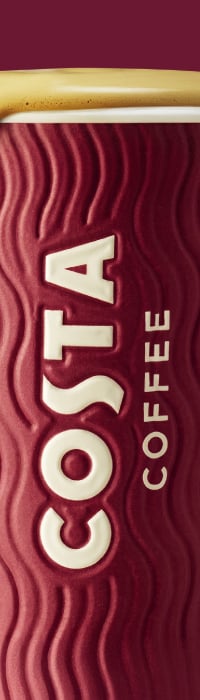
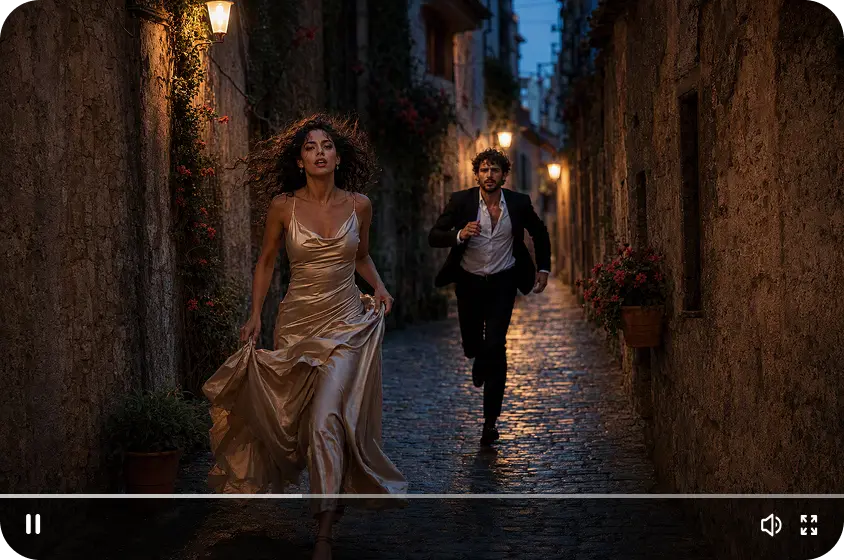

Product images are a crucial element to draw attention and convey value through digital marketing channels. But to make different promotional images, it is necessary to have photography, graphic design, and editing resources. AI-generated images offer a new way of creating product marketing materials. It converts product images and written content into various advertising ideas. This versatility allows companies to experiment with different presentations without having to set up separate photoshoots for each campaign. Dreamina’s Marketing Studio combines image generation, video production, and photo editing. It offers product imaging, product posters, and product videos for advertising. Knowing how it works to create images can enable creators to discover various possibilities for product promotion.
Discover What You Can Create with AI Product Image Generation
Dreamina’s Marketing Studio provides an AI marketing studio experience for developing different product marketing visuals. Product references, written instructions, and templates make it possible to explore creative concepts.
Its image generation capabilities help it meet a number of promotional needs such as:
-
Studio Photography: Capture product photos with clean backgrounds, lighting, and presentation.
-
Lifestyle Imagery: Show products in a familiar setting to convey uses and context.
-
Promotional Posters: Create advertising graphics for product launches, special offers, and brand announcements.
-
Ecommerce Visuals: Create alternate product images for ecommerce listings and ecommerce websites.
-
Creative Advertising: Investigate unique visual ideas to convey the product attributes through interesting arrangements and compositions.
-
Campaign Graphics: Create image materials for social media campaigns and marketing campaigns in general.
These creative formats enable businesses to experiment with different presentations of the same product images. Every visual has its own specific marketing function and aligns with a related marketing message.
Understand How Product References Guide AI Image Generation
Product references are crucial for the visual information during the image-creation process. A clear and high-quality product photo of the product can help to guide the appearance of the generated image. Select references that exhibit recognizable features, proportions, colors, and identifying details. Photographs that are not edited or blurry will usually give more information than those that are. Creative instructions then set the desired setting and presentation. Describe background, lighting, camera angle, and composition in detail. A skincare product could be displayed on a plain bathroom wall, for instance. Another cue might be: Dramatic lighting in the studio and a reflective surface. Visual direction is provided through reference pictures; additional creative requirements are provided through written prompts. Check the results you get, as they may vary the information about products. Compare the packaging, label, colours, and proportions with the original reference. When key visual differences are present, modify instructions or re-create images.
Explore AI Image Creation in Dreamina’s Marketing Studio
Dreamina’s Marketing Studio has an AI image mode to generate marketing images. You can use the existing templates, uploaded product references, or written creative descriptions. Templates give you ideas to get you started, and reference images give you more visual ideas. Written prompts include the desired look, set, lighting, and advertising direction. Seedream image-generation models help develop sophisticated image concepts. You can try out various looks and image generation, depending on the model. There are different presentation possibilities, including minimalist product shots, colorful ad compositions, and lifestyle shots. Images generated can also be used for larger campaigns such as posters and promotional videos. This integration maintains image development in relation to other marketing content activities. The model options, features, and generation costs may differ from account to account.
Discover Product Image Generation Features in AI Marketing Studio
Step 1: Upload your product and explore the generator
-
First, sign up or log in to Dreamina to explore its product image tools.
-
Later, head to “Marketing Studio” on the left bar to open the workspace.
-
Here you can choose “AI video” for video creation or “AI image” for product images. Pick “AI agent” when you need image and short video creation together.
-
Next, in “AI image,” select “Change style” to choose the look of your product image.
-
Later, click “Product” to upload your product photo. You can also choose from the library with existing products.
-
Write a prompt describing how you want the image to look and feel. Feel free to add custom direction.
Step 2: Choose your model and generate the image
-
Click the “Reference” tab to add an image that guides the AI’s visual direction.
-
You can choose models such as Seedream 5.0 Pro, Nano Banana 2.1, and GPT Image 2.5 Flare. GPT Image 2.5 Sunburst and GPT Image 2 are also available.
-
Select a custom aspect ratio and resolution from the “Aspect ratio” and “Resolution” tabs.
-
Finally, click on the “Generate” tab to begin creating your product image.
Step 3: Preview, refine, and download your product image
-
Watch the finished image on full screen and check whether the look meets your needs.
-
If you don’t like the results, you can “Edit prompt” or “Regenerate” to refine them.
-
You can also edit the generated image using the “Edit in canvas” option. Here, you can edit with full freedom to replace the background, add effects, or crop.
-
Once you are satisfied with the result, click “Download” to save the image. Then share it across your marketing channels.
Explore Creative Styles and Composition for Product Images
Visual style is a way in which audiences see products and how they are presented. Minimalist compositions feature simple backgrounds that draw focus to key product information. Lifestyle environments provide environmental context and illustrate potential applications of products. Lighting also affects texture, shadows, contrast, and the general visual ambiance. Soft lighting can make for a subtle presentation; dramatic lighting can add contrast. The camera angle affects the viewer’s perception of the size and appearance of the products. Backing should be used to complement product colors and not to detract from important information. Product photos can be used in promotional layouts with advertising messages and brand elements. Ensure there is a clear visual hierarchy and the product is the main focus. Continue to maintain legible supporting text and not crowd the composition. These considerations help to create images that are effective at conveying their marketing message.
Turn Generated Product Images into a Broader Marketing Content Collection
Generated product images can be used in a variety of marketing campaign phases. Begin by listing images that convey product appearance and key features. Create promotional posters for launches, seasonal offers, and social media announcements. These visuals can be extended with product demonstration videos, which bring the visuals to life through movement and storytelling. Various dimensions of images and videos are useful in creating content for various marketing placements. Dreamina’s Marketing Studio also offers content adaptation options with translation tools. This includes translation of text in images and creation of localised promotional materials. This is useful for businesses to target audiences in various language markets. Product references can be reused so that creative direction can be done in a connected manner from one project to another. Related posters, advertising images, and promotional videos can be created using consistent product photographs. Having reusable product and avatar assets helps to make future content development easier.
Conclusion
With AI-generated images, there are more opportunities for product photos and digital marketing. Different visual presentations are created through product references, detailed prompts, and creative styles. Dreamina’s Marketing Studio integrates image creation, video production, and video editing in a single platform. Its tools can be used for ecommerce images, lifestyle images, promotional posters, and campaign content. Businesses can also link generated images to promotional videos and localized materials. This versatility allows creators to use product references as the foundation for creating a range of marketing materials. Accurate product descriptions and recognisable brands are still important – careful review is essential. Dreamina’s Marketing Studio opens up new avenues for product presentation in digital marketing with thoughtful creative direction.